


Previous
Previous
Add or Update Payment Method
Next
Next
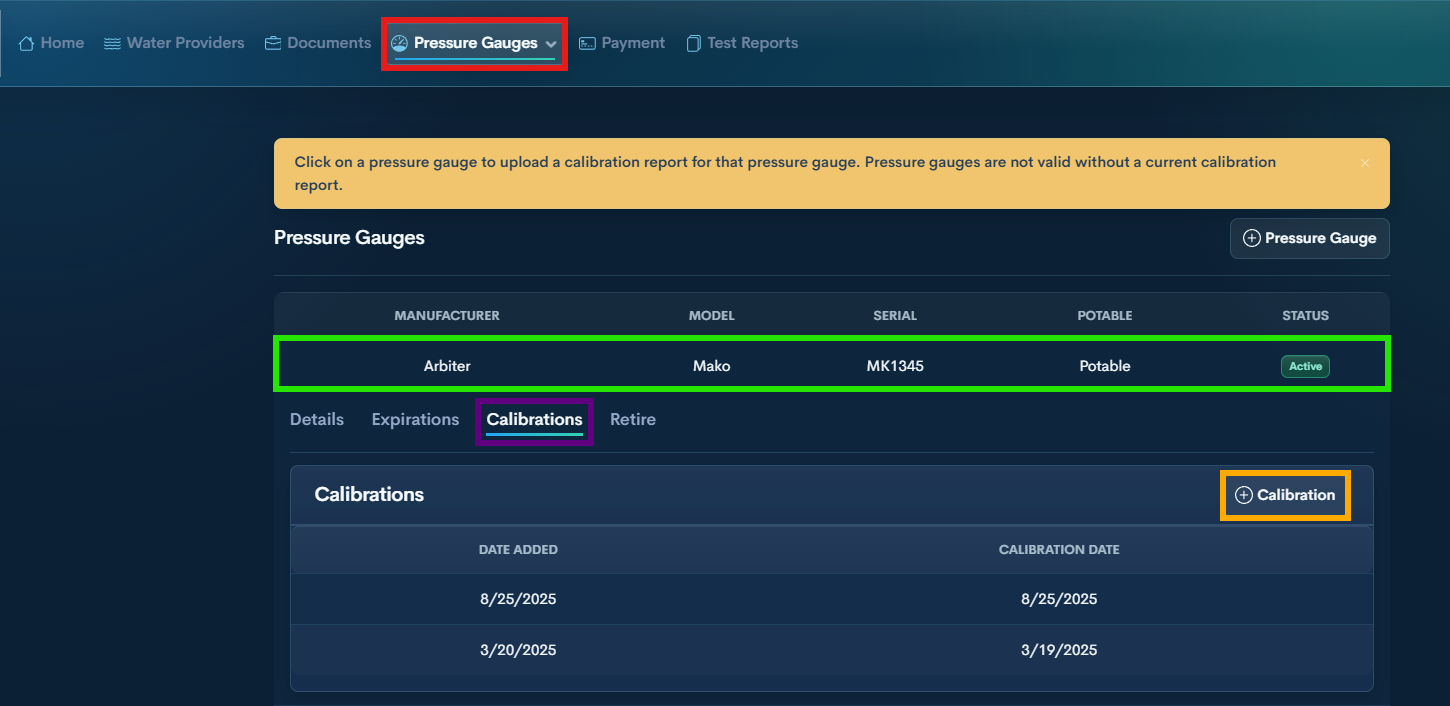
Step 1 — Open Pressure Gauges from the top menu
Step 2 — Select the Pressure Gauge
Find the gauge and click it to open its details.
Step 3 — Open Calibrations
Step 4 — +Calibration
Click the + button.
Upload the updated calibration document.