

Tester Portal
Easy for testers. Controlled by you. Backed by real support.
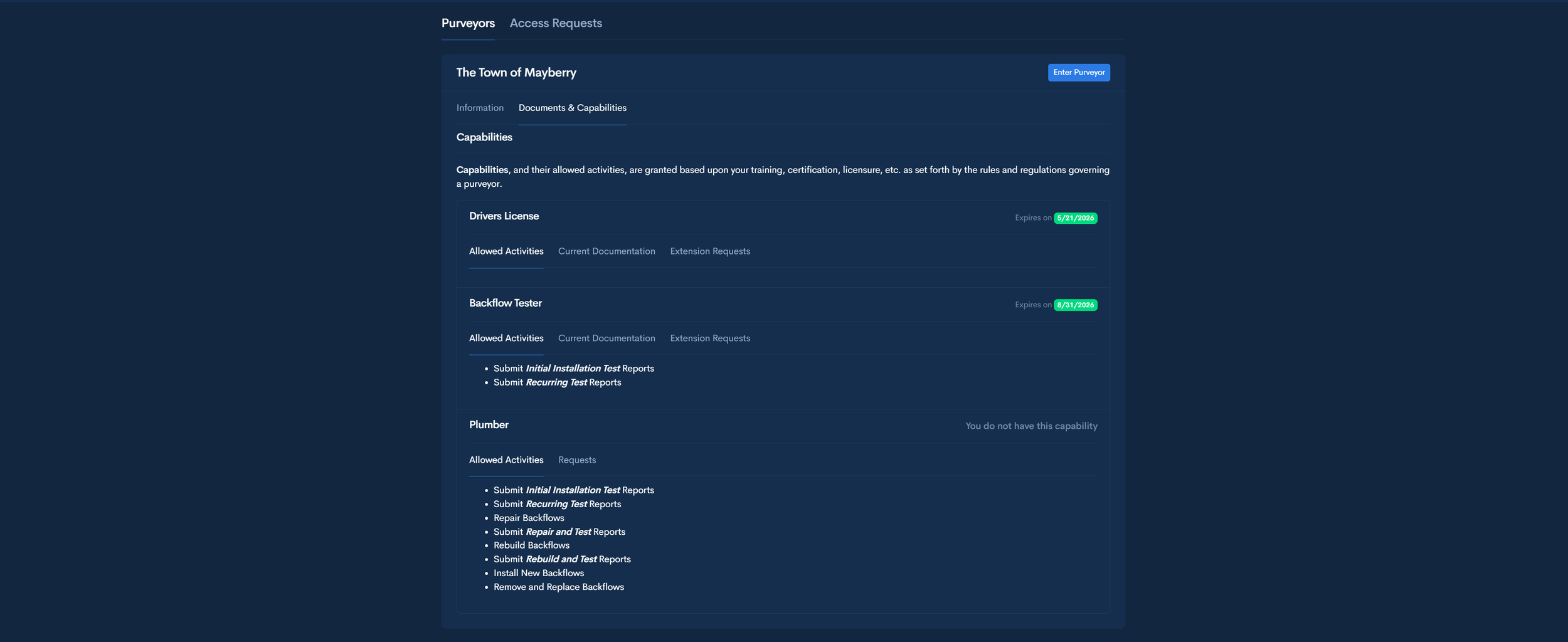
You Decide Who Touches Your Program
Every tester must be approved by you before submitting backflow test results into your system.
-
• Required certifications
• Document review before approval
• Per-jurisdiction tester approval
• Permission levels (test only or test + add/replace)
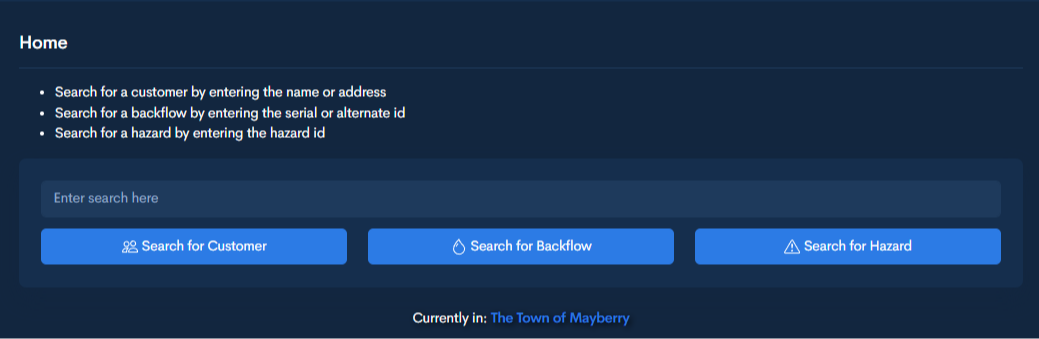
Find the Right Record. Every Time.
-
Search customers by name or address
Search devices by serial number or alternate ID
Submit reports directly to the selected device
No duplicate devices created by testers
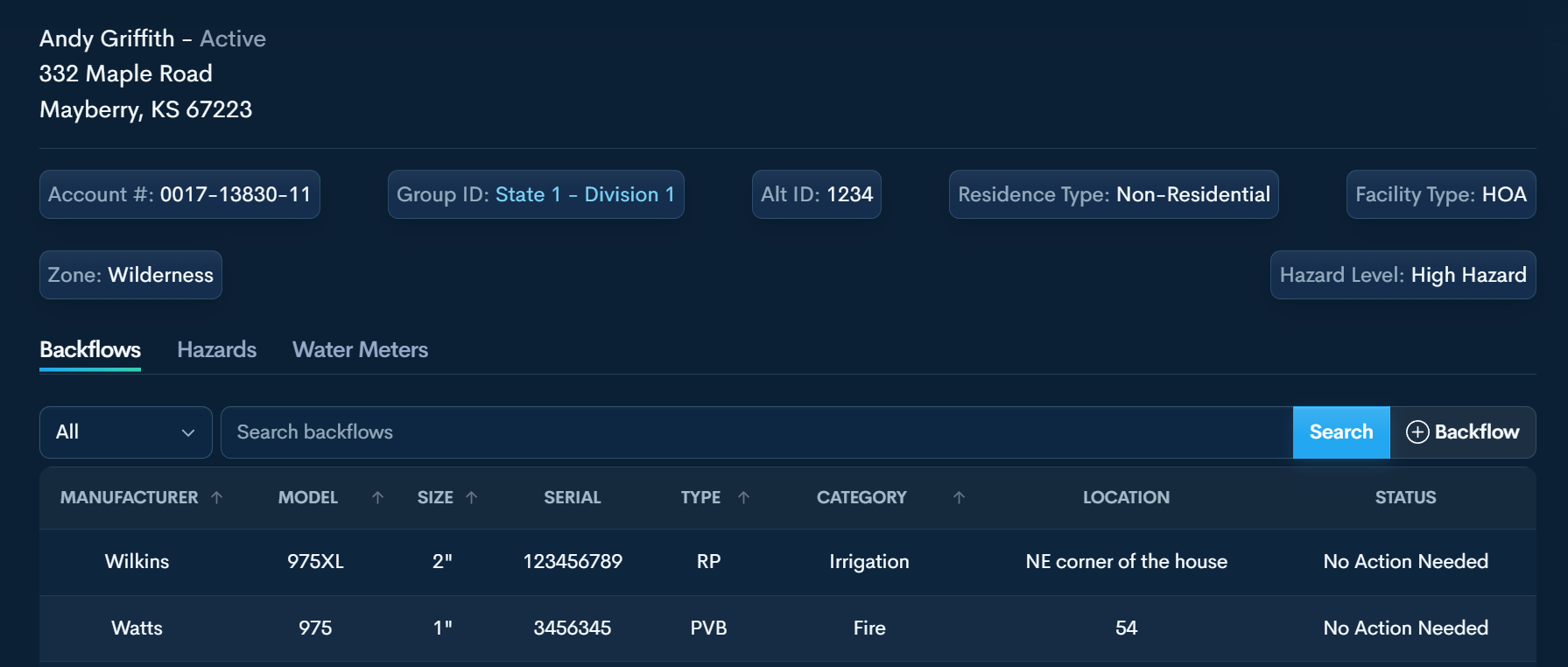
The Customer Profile - Tester View
Testers work inside the customer record so reports, device updates, and documentation stay tied to the correct address.
Device Location Mapping
Know exactly where each assembly is located.
GPS coordinates are stored with the device record and displayed on the map inside your system.
This provides spatial reference for inspections, follow-ups, and field verification.
-
Require a GPS pin before accepting a report
Requirement is satisfied once location is on file
Testers may still pin devices even if not required
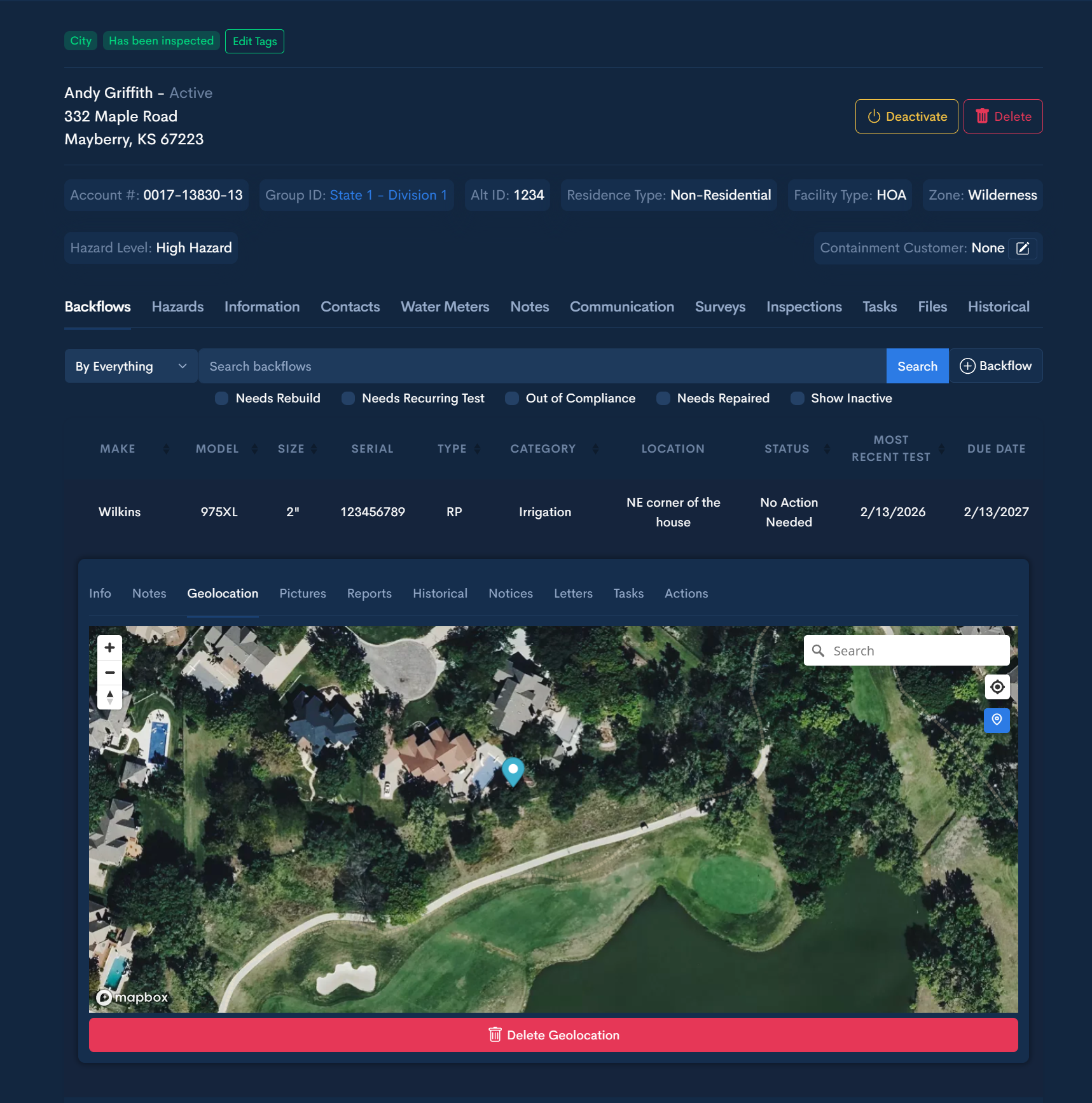
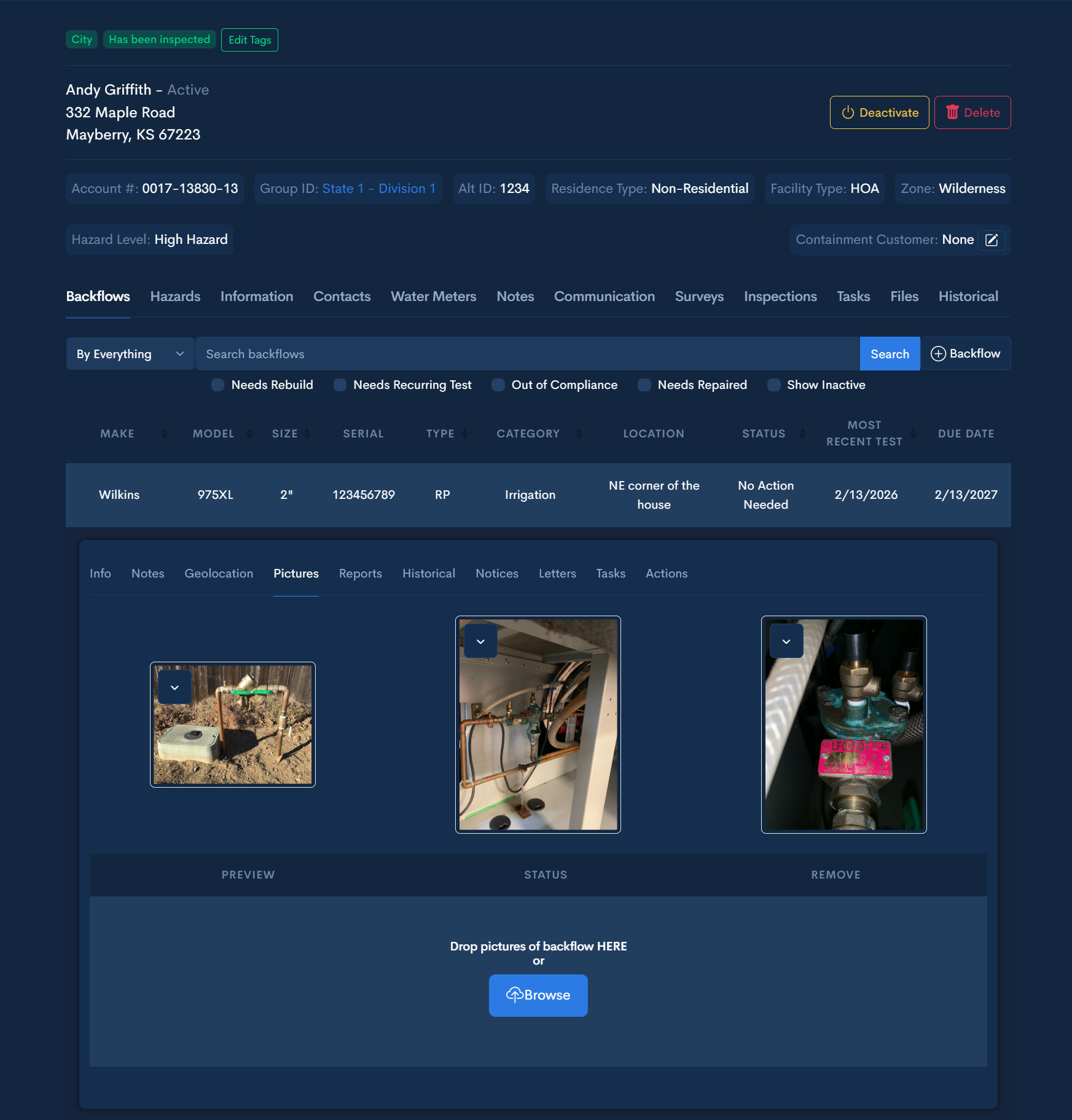
Photo Documentation
Photos provide installation context, condition reference, and documentation for future review.
Images remain attached to the device.
Store up to three photos per device.
-
Require at least one photo before accepting a report
Device-Specific Test Forms
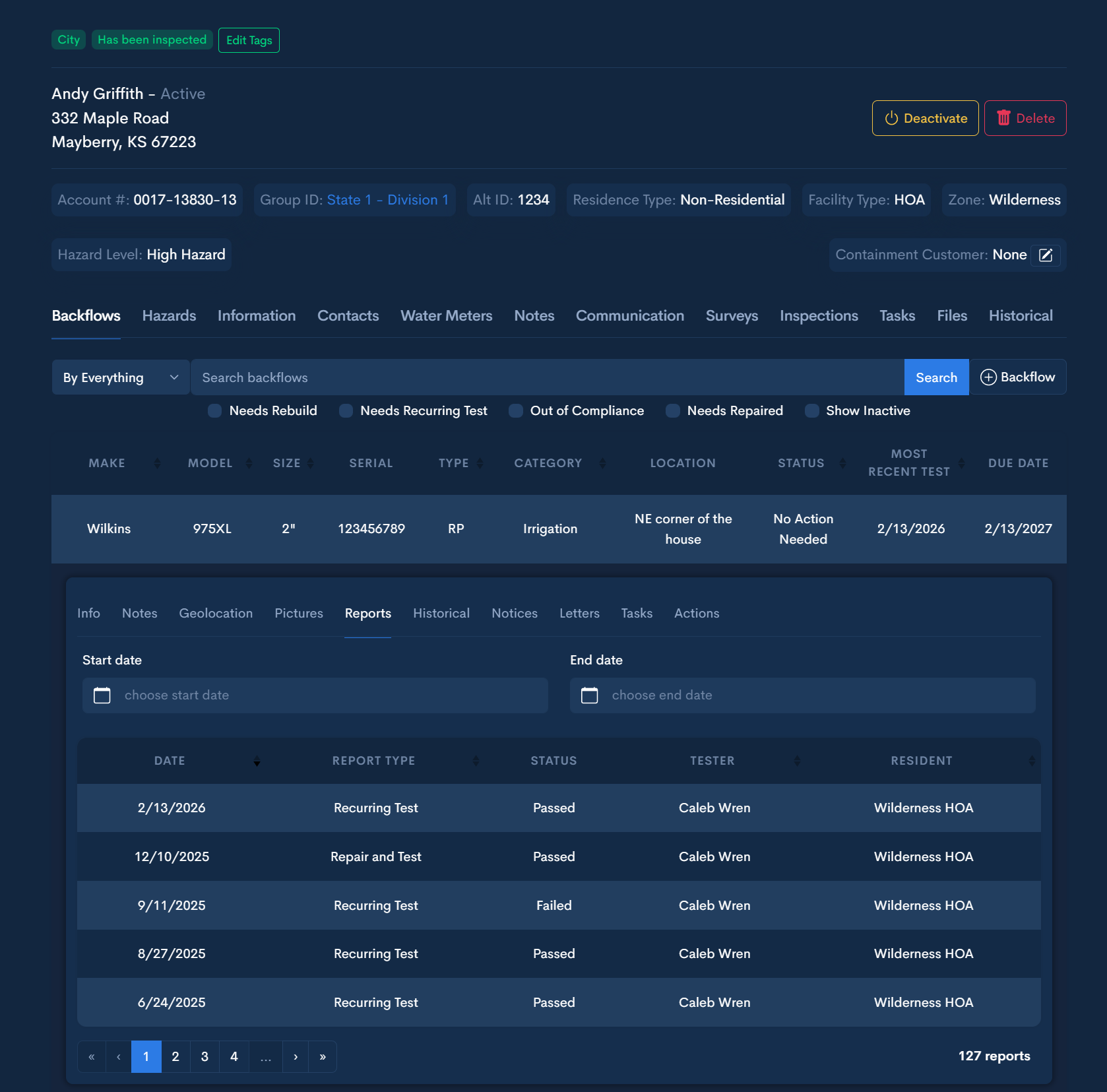
Test reports adjust based on the type of device being tested.
Testers are not choosing generic templates.
The system presents each option for every testing situation.
-
Required fields must be completed before submission
Pass or fail is determined at entry
Failed tests are flagged immediately
You review fails and decide whether to mail repair letter
-
Recurring Test
Rebuild and Test
Repair and Test
Removed and Replaced Device
Removed Device and Capped Line
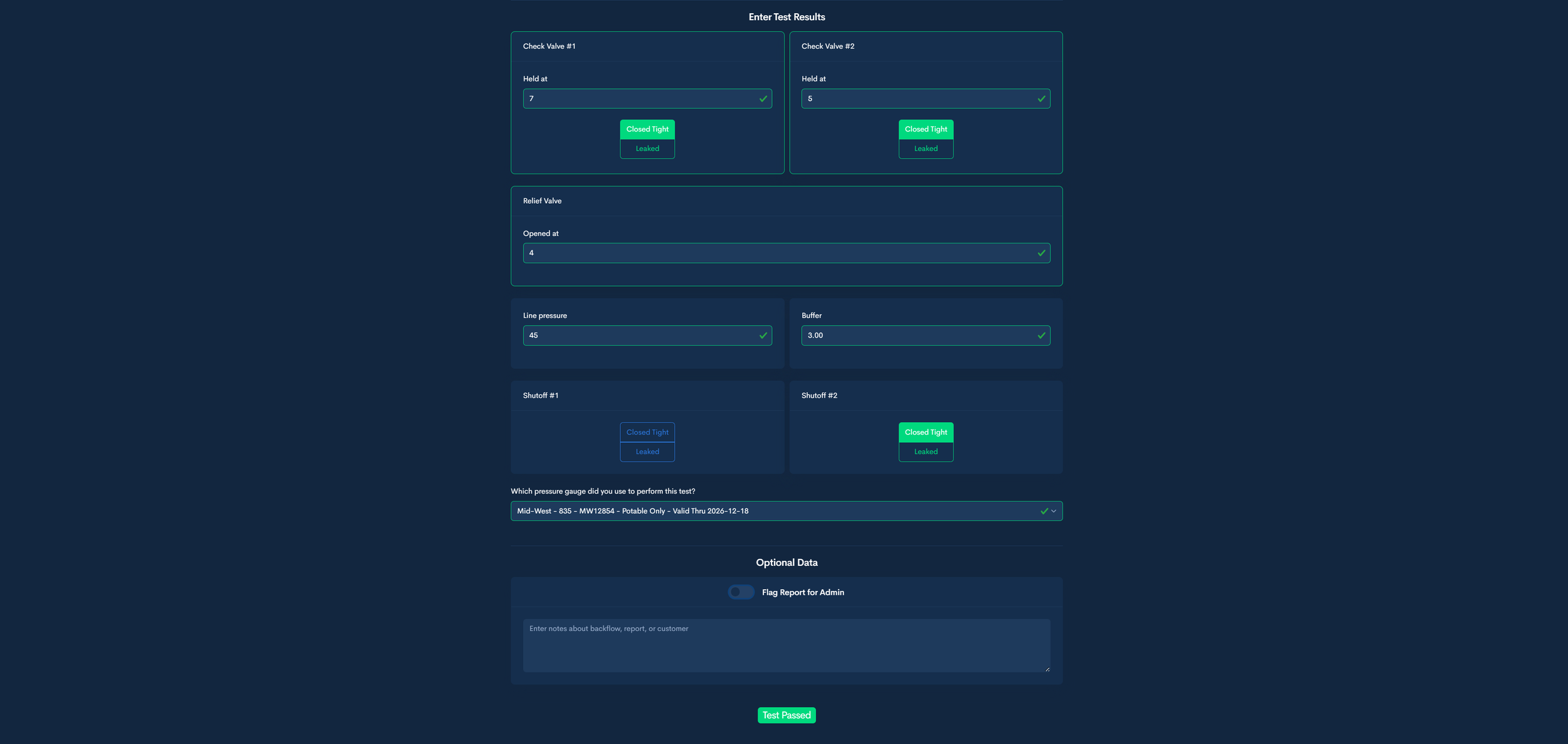
Complete Test History & Documentation
Test history is preserved and accessible at any time — including past passes, failures, and device replacements.
Every submission is tied to the device record.
-
View full test history per device
Download PDF copies of submitted reports
Reports remain attached to the device record
Email report to the customer at submission
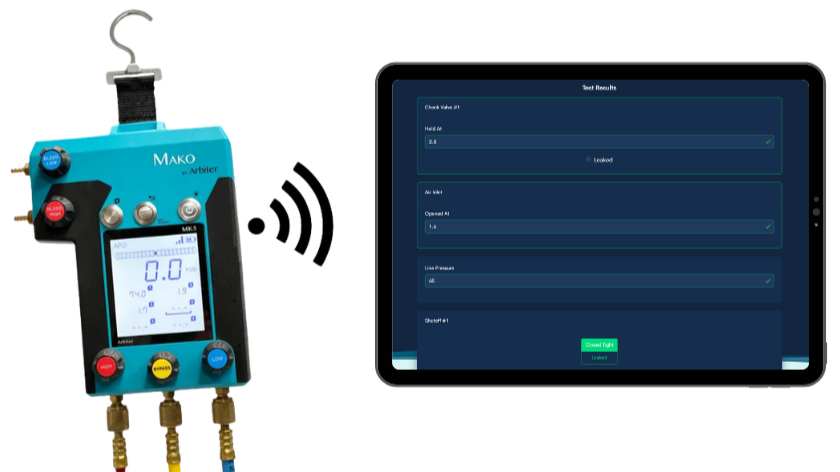
Mako Digital Gauge Integration
Testers can link their gauge within the Mako app.
Readings transfer into Mako Assist feature in AquaResource.
-
Goal: Remove the office bottleneck.
Testers submit once from the field on the Mako and the report lands in AquaResource —eliminating re-entry, paper handling, and end-of-day backlog. Your admin reviews and confirms submissions as they arrive, keeping compliance current and the record defensible.