

Company Profile: Adding Water Provider for a Tester
Follow these steps to proxy into a tester account and request access to a water Provider.
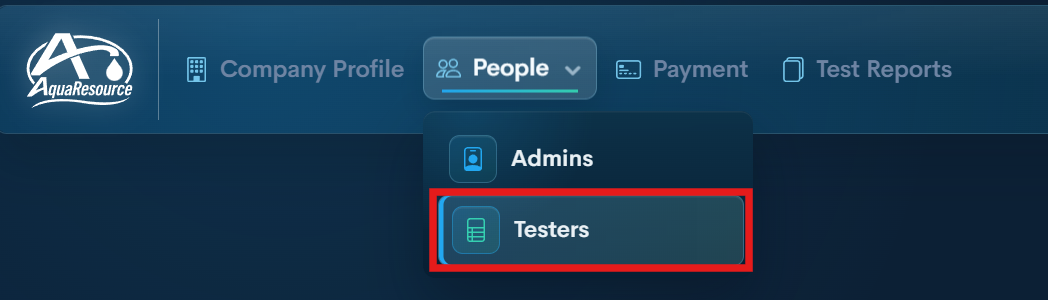
Step 1 — Open Testers
From your Company Profile, go to the Testers section.
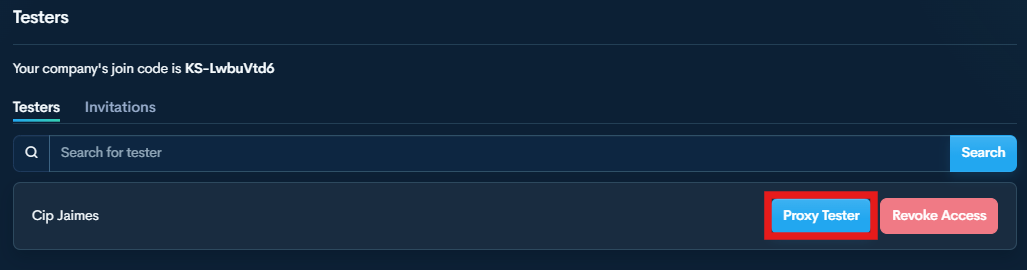
Step 2 — Start Proxy Tester
Find the tester and click Proxy Tester to enter their account.
You are now operating as that tester.
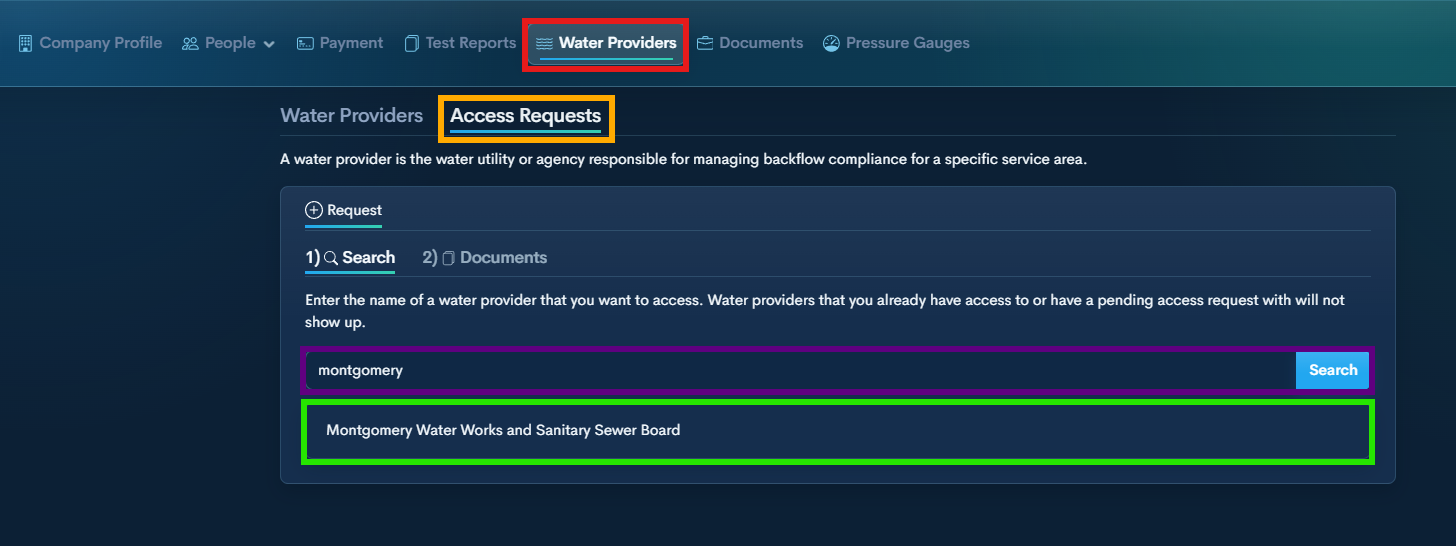
Step 3 — Open Water Providers
From the top menu, select Water Providers.
Step 4 —Open Access Requests
Step 5 —Search for the water provider you want to add.
Step 6 — Select Purveyor from the list.
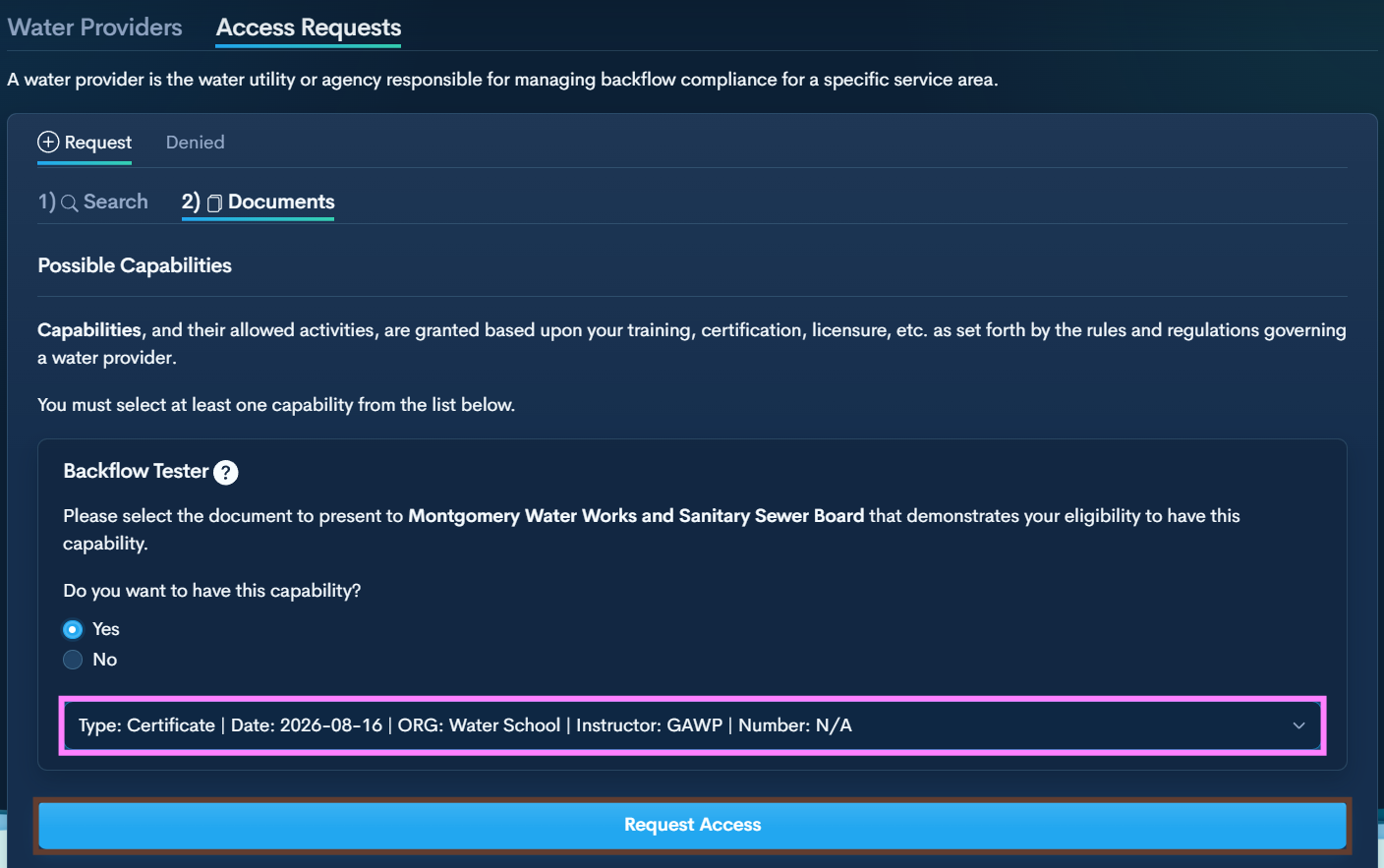
Step 7 — Submit Required Documents
Answer the Backflow Tester question (Yes) and select the required document from the drop down.
It will display all documents you uploaded in the Documents section.
Click Request Access to present it to the Water Provider administrator.
Step 8 — Wait for Approval
The purveyor will review the request.
Once approved, it will appear in the tester’s Water Providers list.
