

Company Profile: Invite an Existing Tester
Use this process to request proxy access to a tester who already has an AquaResource account. Once the tester accepts the invitation, your company will be able to submit test reports on their behalf and use company payment methods for associated submissions.
Do not use this process for testers who do not yet have an AquaResource account.

Step 1 — Open the Testers Page
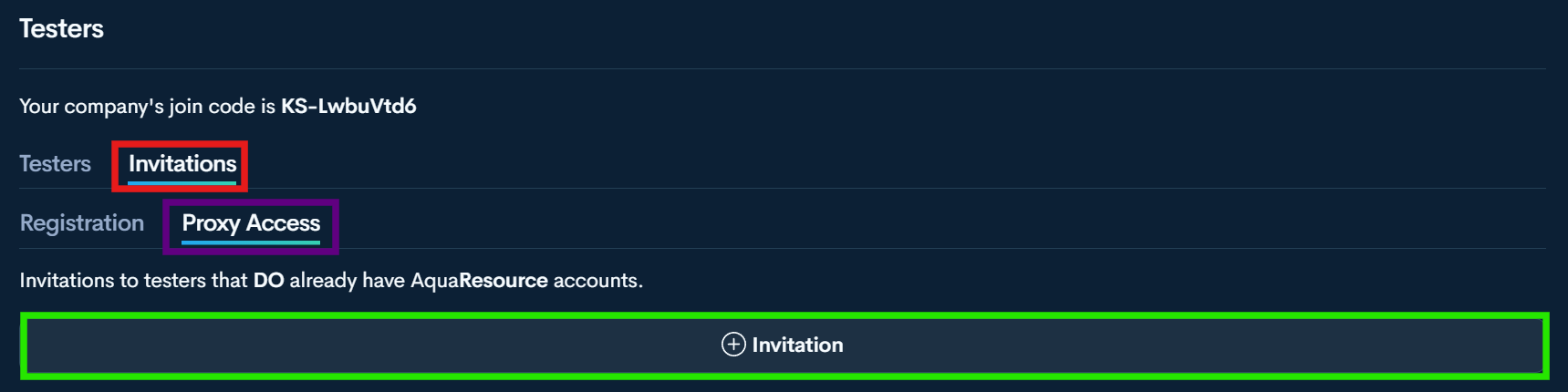
Step 2 — Open Invitations
Step 3 —Select Proxy Access
Step 4— Select + Invitation
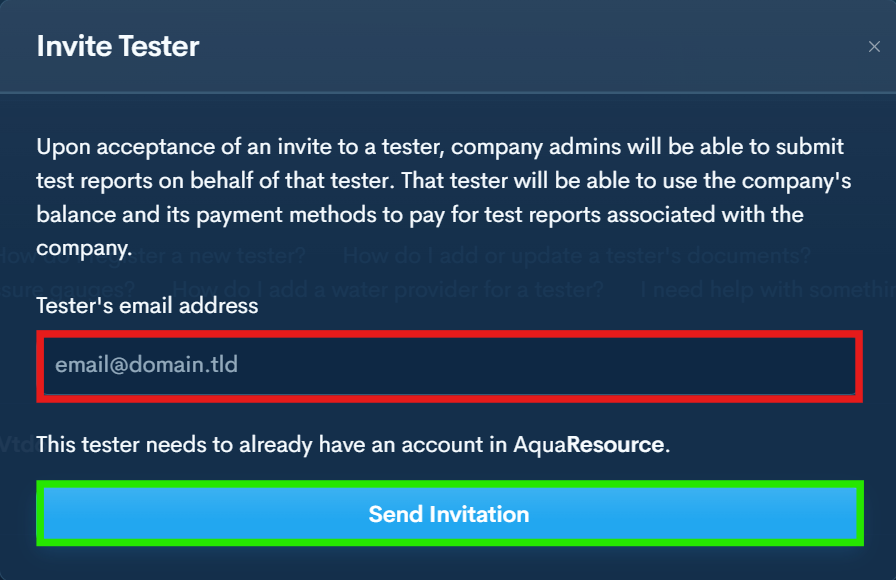
Step 5 — Fill Testers Email and Send Invitation
The tester must already have an AquaResource account associated with this email. Do not send an invitation to an email that has not been registered in AquaResource.
